Guide · Getting started · 7 min read
How to make an AI rap video from one photo
A solo rap video is the fastest trend template on the site: one photo in, a staged performance out. There is no second photo to match, no lyrics to upload and no timeline to learn. This guide covers the whole chain — what the model actually renders, which photos work, how the three scenes change the result, and what the clip costs at each length and quality.
What the AI rap generator actually makes
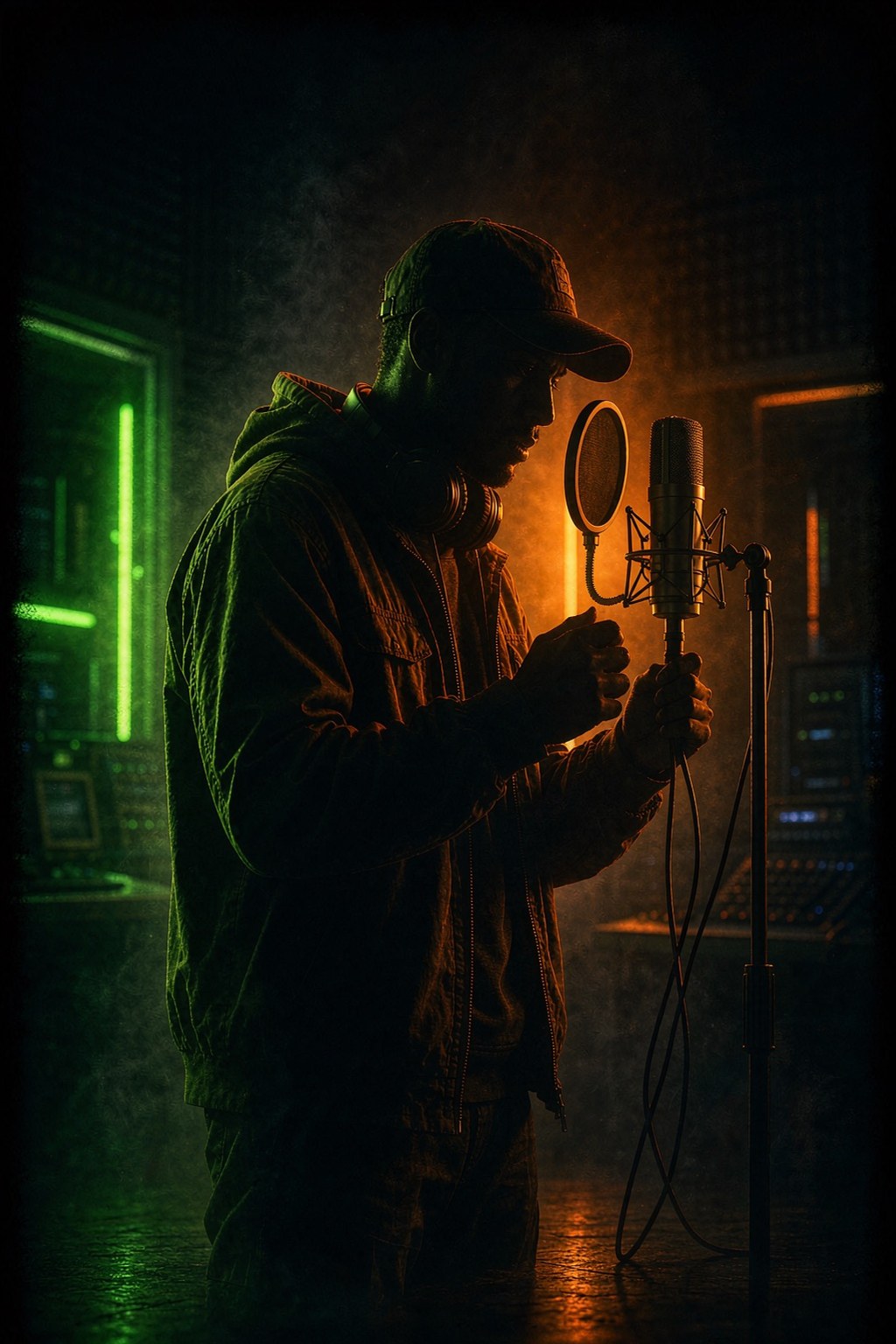
The AI Rap template takes one photo of a single person and renders them as the performer in a rap scene: mic work, hand gestures, head nods and the energy of a verse being delivered. You pick the scene — an orange studio booth, a neon night street, or a hard-lit stage with a crowd in the foreground — and the model builds that scene around your subject.
One thing to be clear about before you spend credits: this is a styled performance, not word-for-word lip-sync. The model generates expressive mouth movement and rap cadence, but it does not sync to uploaded lyrics or audio, and there is no audio upload step. If you want two performers trading verses on one stage with generated sound, that is the Rap Duet template instead.
Rule of thumb: AI Rap is one person and a scene you choose; Rap Duet is two people and a stage the model chooses.
The photo: what survives the generator
Because the whole clip hangs on one subject, the photo does most of the work. The generator has to keep one face consistent through motion, gestures and a new lighting setup, so it rewards photos that answer three questions instantly: where is the face, where does the body end, and what direction is the light coming from.
- One person per photo. Group shots confuse the framing for a solo performance.
- Face front-facing and well lit — a turned profile forces the model to invent a face it cannot see.
- Chest-up or waist-up framing. The performance includes a microphone and hand gestures, so a tight headshot leaves nothing for the hands to do.
- Sharp and recent. Screenshots, heavy filters and low resolution drift the likeness as motion increases.
- A photo you own or are authorized to use — the same content rules apply as every other template.
Run the free photo readiness check before generating. A warning there costs nothing; the same problem after generation costs a render.
The three scenes, and how to pick one
A scene is not a background sticker. It sets the light, the camera language and the attitude of the performance, and it changes what your photo has to survive.
- Orange Studio Solo: the warm orange-lit booth that matches the hotel lobby trend aesthetic. The safest pick — close framing, steady light and the most forgiving for average photos.
- Night Street Neon: rain-wet asphalt, purple and cyan glow. Strongest visual contrast, but the mixed light punishes flat or poorly lit source photos.
- Stage Spotlight: hard spotlights, drifting smoke, crowd silhouettes. The widest framing and the most dramatic — smaller face in frame, so start here only with a sharp photo.
All three scenes ship with a real sample clip on the trend page. Watch them before you pick — motion style matters more than the thumbnail.
Length and quality: what the credits buy
Clips come in three lengths — 4, 8 or 15 seconds — and cost per second of output. Four seconds is a single hook beat and the cheapest way to test a photo. Eight is what most people post. Fifteen is for a full verse arc with a camera move.
Two models are available. MiniMax H3 renders 768P and 2K, and follows your photo for framing. Seedance 2.5 renders 720P and 1080P with explicit format options. The entry tier at four seconds is the standard test render; re-render the keeper at the length and quality you actually want once the photo proves itself.
If a result disappoints, swap the photo or the scene before buying more length — a better input fixes more than a bigger budget.
Export size and where to post
Solo performance clips read biggest in vertical. Render 9:16 for TikTok, Reels and Shorts — the performer fills the frame and the gestures land without cropping. Square 1:1 is the safe middle for a feed grid, and 16:9 is only worth it for YouTube or embedded players where two people would otherwise share the frame.
The full dimension table for every platform lives in the social video sizes guide. Two posting details matter most here: put the scene name or the hook line in the first caption line, and label AI-generated content when the context could mislead — the performer in the clip is a stylized render, not documentary footage.
Frequently asked questions
Does the AI rap video lip-sync to my lyrics?
Not word-for-word. The generator produces a styled rap performance with expressive mouth movement, gestures and beat energy, but it does not accept lyric or audio uploads and does not sync syllables. Word-for-word lip-sync needs a dedicated lip-sync provider and is not part of this template.
How many photos does the AI rap generator need?
Exactly one. A clear, front-facing photo of a single person — or a pet — works best. There is no second upload slot because the scene is built around one subject.
Can I use a celebrity photo?
No. Only photos you own or are authorized to use. Uploading a celebrity or any public figure is blocked by the content policy, and imitating a specific artist is not supported.
Does the clip have sound?
No. Like the other templates here, output is delivered silent so you can attach the track that fits your post — which also keeps the clip free of any copyrighted music.
How is this different from Rap Duet?
Rap Duet takes two photos and stages two performers trading verses on one neon stage with AI-generated performance audio. AI Rap takes one photo and stars a single performer in the scene you pick. Both render in 4, 8 or 15 seconds.
What is the cheapest way to test a photo?
Four seconds on MiniMax H3 at 768P. If the likeness holds and the scene energy works, re-render the same photo at eight or fifteen seconds and a higher tier.
Keep reading
Related guides
Put it into practice
Create a Video